Antichat снова доступен.
Форум Antichat (Античат) возвращается и снова открыт для пользователей.
Здесь обсуждаются безопасность, программирование, технологии и многое другое.
Сообщество снова собирается вместе.
Новый адрес: forum.antichat.xyz
 |

24.11.2007, 20:43
|
|
Постоянный
Регистрация: 23.09.2007
Сообщений: 416
Провел на форуме:
1781065
Репутация:
869
|
|
 Release GnuPG Shell
GnuPG Shell is a software tool which helps you to keep your information safe by using strong protection offered by OpenPGP standard
GnuPG Shell is a cross-platform graphical frontend for GNU Privacy Guard.
GnuPG Shell can be used to encrypt, decrypt, and sign files, to verify signatures and to manage private and public keys.
In addition to source code, we provide pre-built installation packages for Debian Linux, RedHat Linux, and Microsoft Windows.
How GnuPG Shell Works
GnuPG Shell is a GUI front-end for GnuPG command line utility. So, it provides the same functionality as GnuPG utility but in a far more convenient and easy-to-use way. You don't need to remember all command line options of GnuPG; simply install GnuPG Shell and start protecting your information.
GnuPG Shell encrypts files using asymmetric keypairs individually generated by other GnuPG users. The resulting public keys can be exchanged with other users in a variety of ways, such as Internet key servers or by ordinary files to which public keys can be exported. They must always be exchanged carefully to prevent identity spoofing by corrupting public key and 'owner' identity correspondences. It is also possible to add a cryptographic digital signature to a file, so the file integrity and sender can be verified, if a particular correspondence relied upon has not been corrupted.
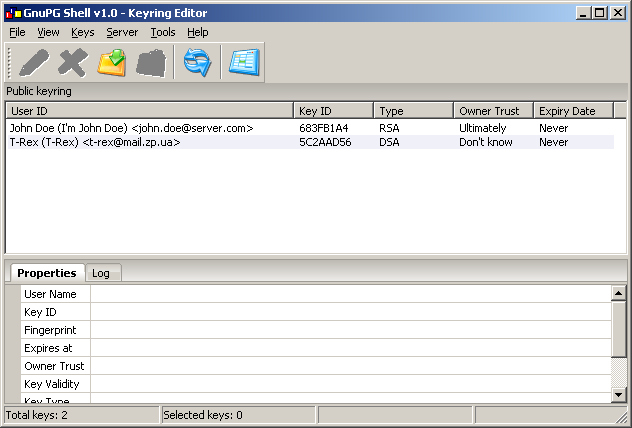
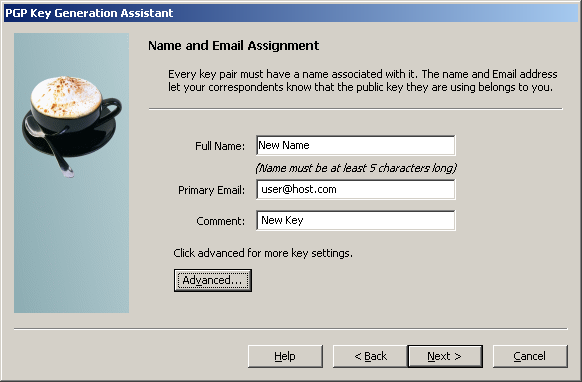
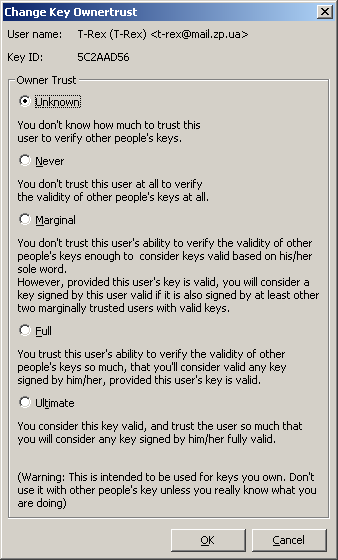
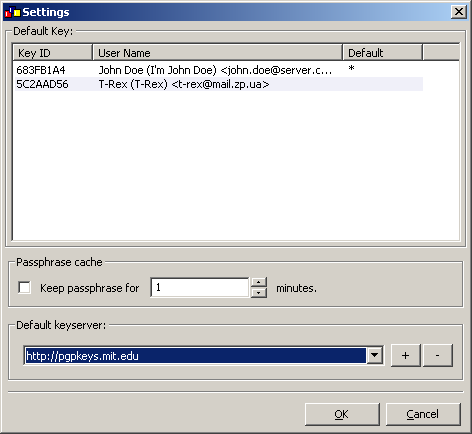
Here are several screenshots of GnuPG Shell made under Windows and Linux:
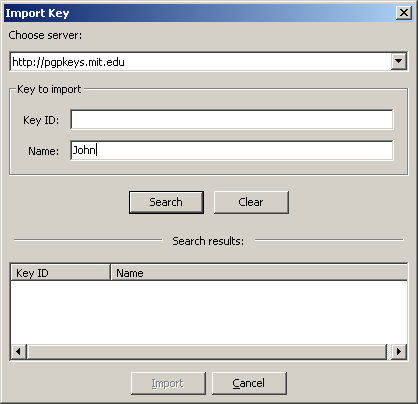 Compiling GnuPG Shell under Microsoft Windows
GnuPG Shell source code archive contains Visual Studio 2005 solution and projects, including all 3rd party libraries needed for compilation. First of all, if you want to compile GnuPG Shell under Windows, you need to download wxWidgets source code and build it (you need wxWidgets-2.8.6 or newer). There is a video tutorial which shows how to build wxWidgets library under Windows, setup environment variable and configure Visual Studio. See wxWidgets and Visual Studio 2005 (Windows). After you compiled wxWidgets library, you can open build/wxGnuPGShell.sln file (which is a Visual Studio 2005 solution file) and build it.
If you want to create the installer package, then you need to download NSIS (NullSoft Scriptable Install System) and install it. After you installed NSIS, you can create install package: Right-click on setup/Setup.nsi file and select "Compile NSIS Script" menu item.
Compiling GnuPG Shell under Linux
GnuPG Shell source code archive contains Makefile for Linux. If you want to build GnuPG Shell from sources under Linux, you need to download and compile wxWidgets library (wxWidgets-2.8.6 or newer, with Unicode support) or install development wxWidgets packages (wxGTK-2.8.6 or newer). After you successfully compiled wxWidgets, you have to navigate to build directory and execute make command. Also, wxWidgets source code package contains workspace and project files for Code::Blocks IDE.
* build/wxGnuPGShell.workspace - Code::Blocks workspace
* build/wxGnuPGShell.cbp - GnuPG Shell project
* externs/build/propgrid/propgrid.cbp - wxPropertyGrid library project
* externs/build/wxTranslationHelper/wxTranslationHelper.cbp - wxTranslationHelper library project
If you want to install compiled GnuPG Shell binary then you need to call the make install command (please note that you have to have root privileges which could be obtained by executing sudo make install).
Download,More Info and Some Video Demo :
http://www.tech-faq.com/gnupg-shell.shtml
|

|
|
25.11.2007, 04:12
|
|
Постоянный
Регистрация: 18.09.2006
Сообщений: 867
Провел на форуме:
2805813
Репутация:
1396
|
|
.....keep your information safe by using strong protection offered by OpenPGP standard
"if i want it,i take it" (c) unknown
IMHO
|
|
|
|
|
|
|
Здесь присутствуют: 1 (пользователей: 0 , гостей: 1)
|
|
|
|









 Похожие темы
 Линейный вид
